

Prerequisites
Before you begin, ensure:
You have an active TikTok Ads Manager account
You have Admin access to the TikTok Ads account
You have access to TikTok Lead Generation Forms
You have generated an Access Token (API Key) via TikTok Marketing API
Step 1: Open sysConnector
Navigate to https://app.sysconnector.com/
Log in to your sysConnector account.
Step 2: Open Data Sources
Click Data Sources from the left-hand menu.
Click Connect New App.
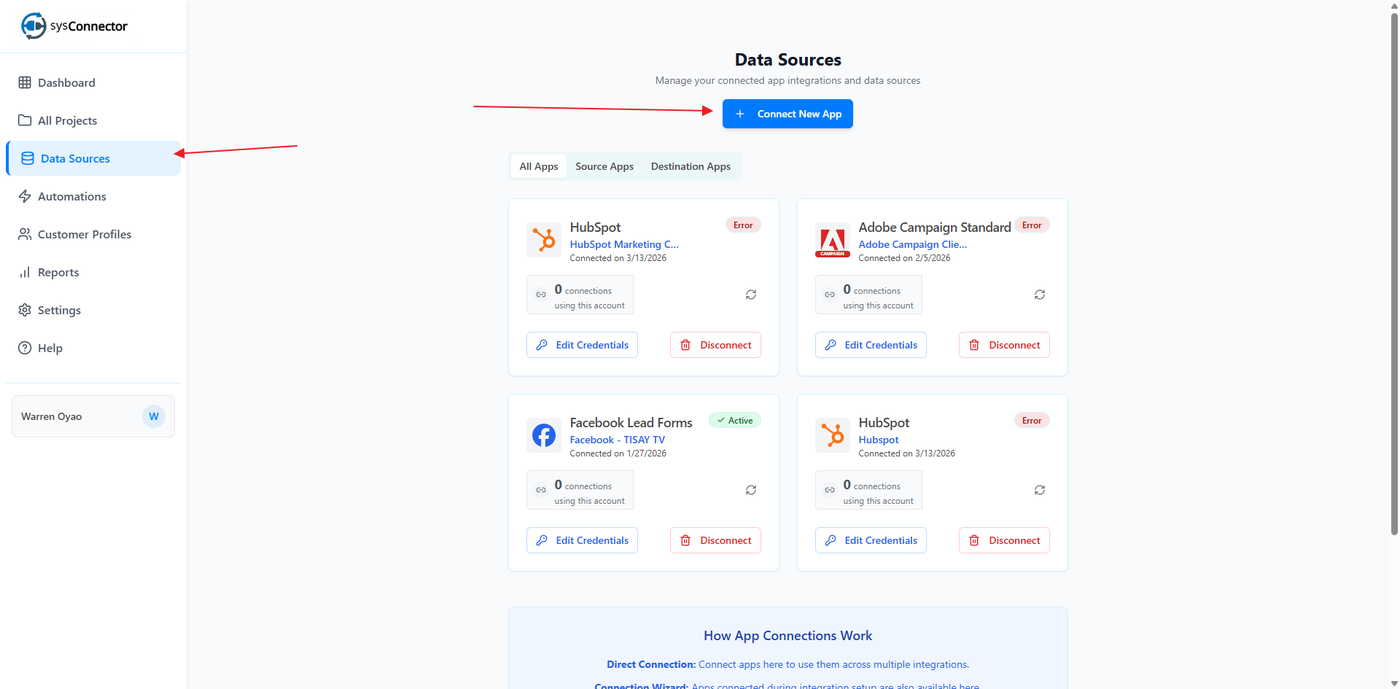
Step 3: Select TikTok Lead Generation Forms
From the list of available integrations, select TikTok Lead Generation Forms.
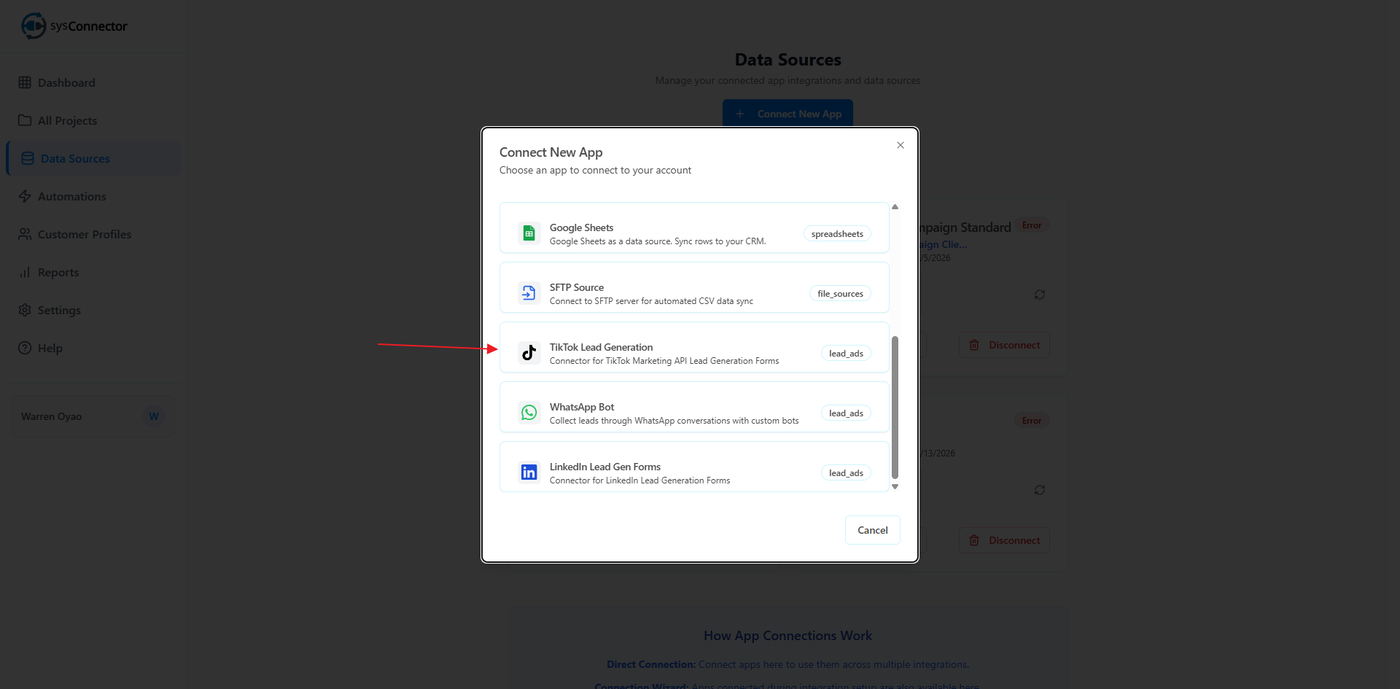
Step 4: Enter TikTok Access Token
In the connection screen:
Paste your TikTok Access Token (API Key) into the required field
Click Connect
Where to Get Your TikTok Access Token
To generate your access token:
Log in to your TikTok Ads Manager account
Go to Assets → Events → API / Developer Settings
Navigate to the Access Token / API section
Click Generate Access Token
Copy the access token
Important:
Keep your access token secure and do not share it publicly
If you lose it, generate a new one
Step 5: Confirm Connection
You will see a success message:
App Connected – Your app has been connected successfully
Your TikTok Lead Generation Forms integration is now active.
You’re All Set!
sysConnector is now connected to your TikTok Lead Generation Forms, and leads will begin syncing automatically.