

Sometimes you need to pass additional information with each lead — such as the vehicle model, campaign source, or product interest — without asking the user to fill it in.
In Meta Lead Ads, this can be done using Tracking Parameters. These act like hidden fields that are automatically attached to the lead when the form is submitted.
This guide explains how to add hidden fields like:
Field | Value |
|---|---|
model | R18 |
lead_source | fb |
These values will be included with every lead generated from the form.
Step 1: Open Lead Ads Forms in Meta Ads Manager
Go to Meta Ads Manager
Navigate to All Tools
Select Instant Forms
Or access it directly from your ad when creating a Lead Generation campaign.
Step 2: Create or Duplicate a Form
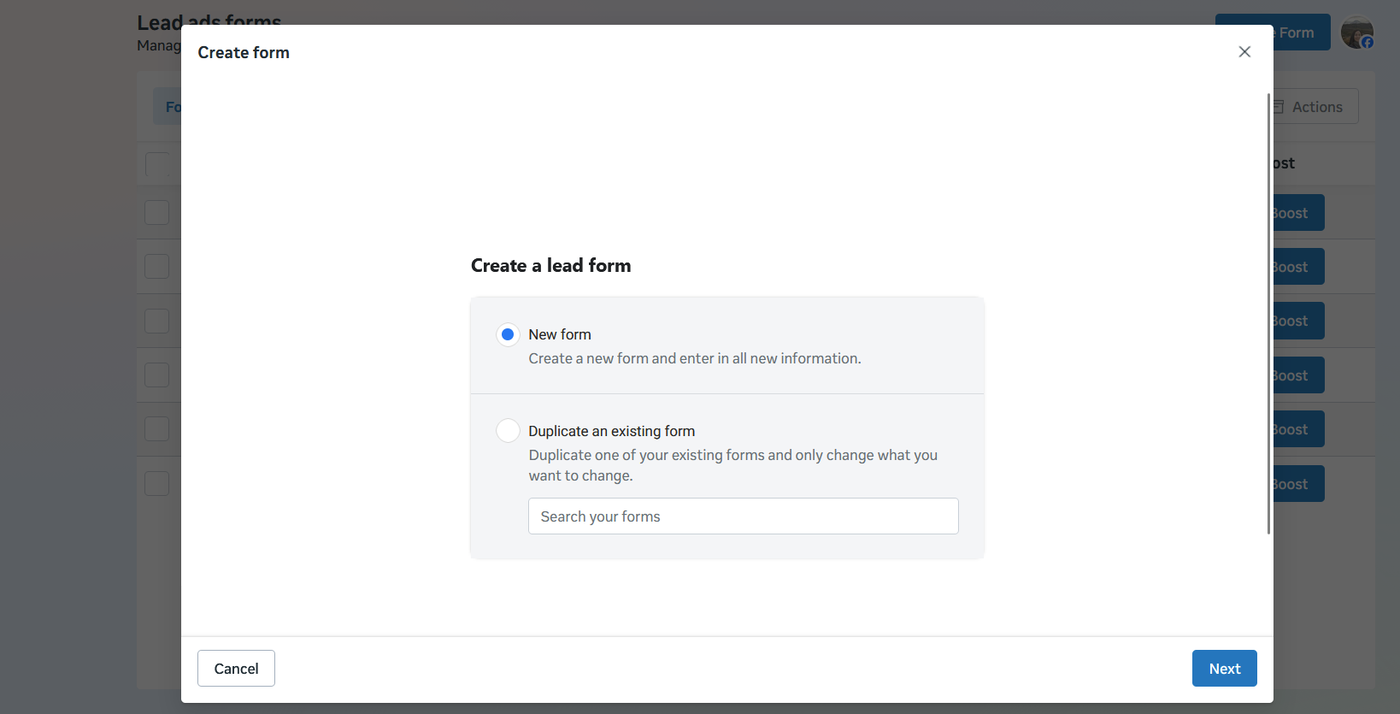
Click Create Form
You can choose either option:
Create a new form
Duplicate an existing form
Duplicating is useful if you want to reuse an existing form structure.
Step 3: Navigate to Form Settings
After selecting the form template, scroll down to the Settings section.
Inside Settings, locate:
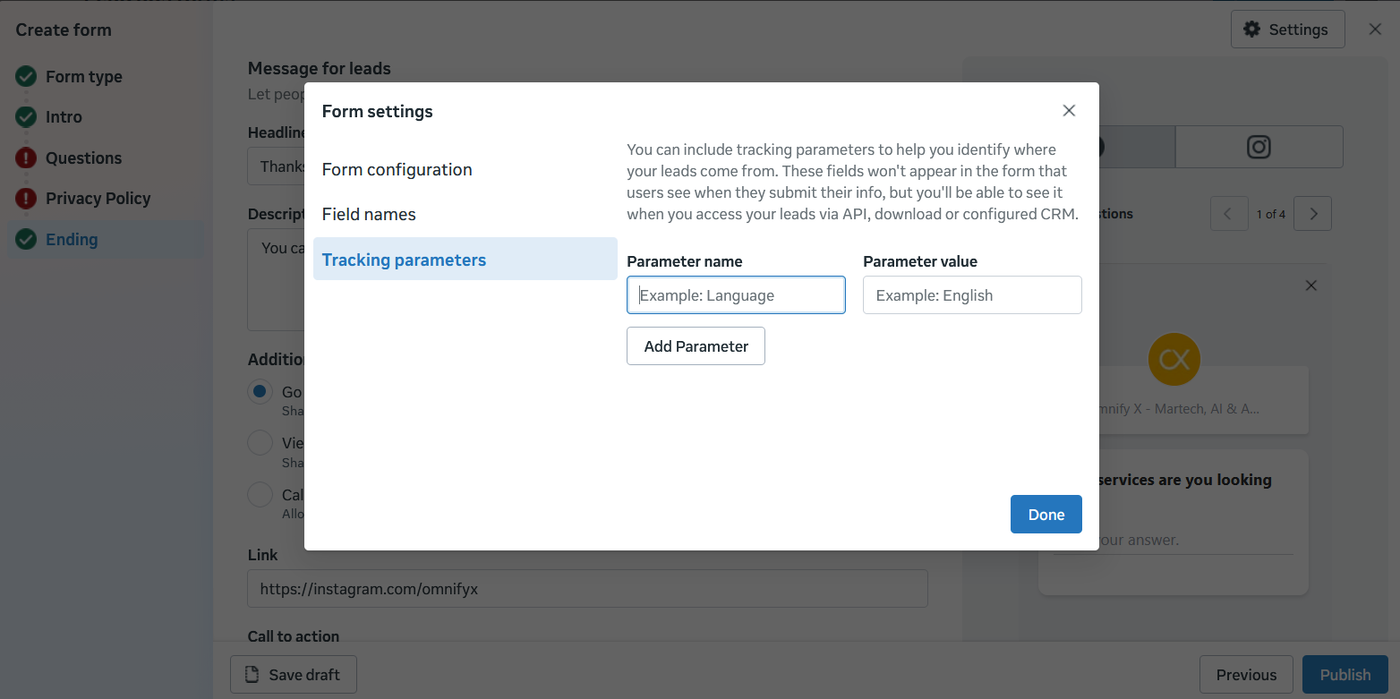
Tracking Parameters
This is where hidden values are configured.
Step 4: Add Hidden Tracking Parameters
Click Tracking Parameters and add your key-value pairs.
Example configuration:
Parameter Name | Value |
|---|---|
model | R18 |
lead_source | fb |
This means every lead submitted from this form will automatically include:
model = R18lead_source = fb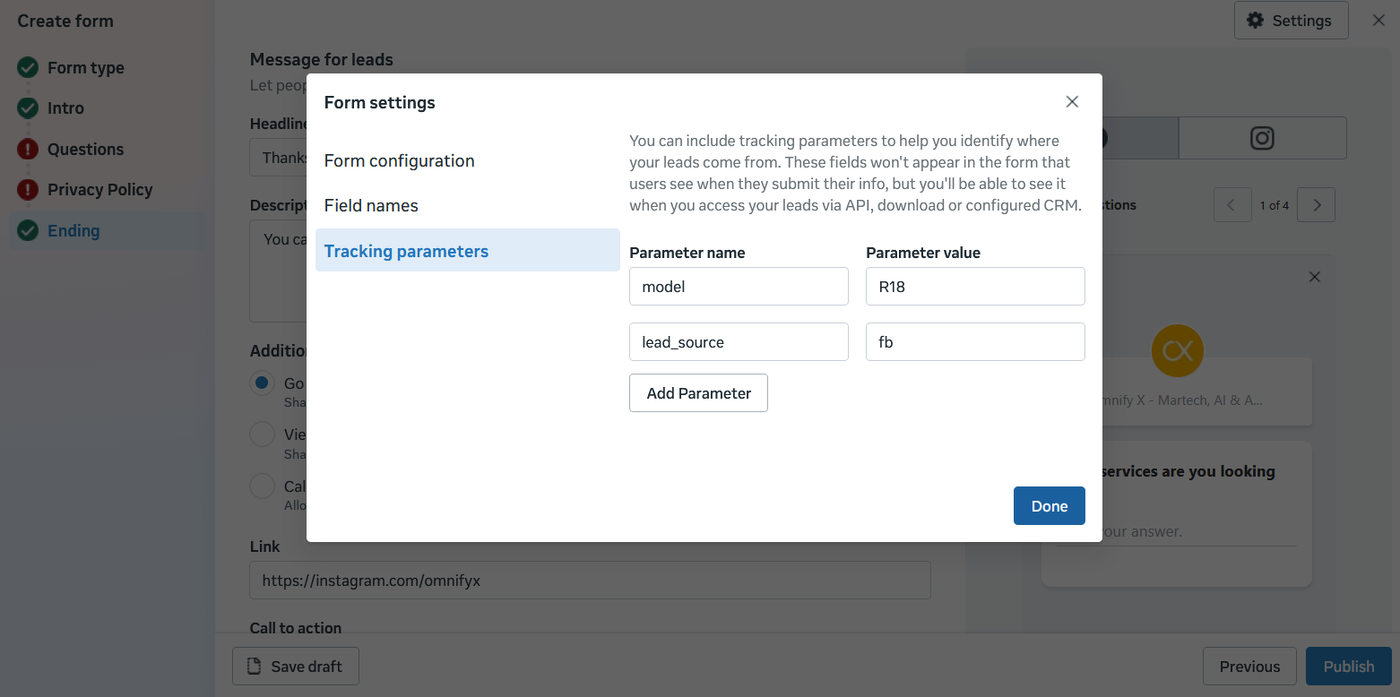
Step 5: Publish the Form
After adding the parameters:
Click Publish
Use the form in your Lead Generation campaign
All leads generated will now include these hidden fields.
What Happens to the Data?
When a lead submits the form, the tracking parameters are attached to the lead data.
Example lead record:
Field | Value |
|---|---|
Name | John Smith |
model | R18 |
lead_source | fb |
These fields will appear when:
Exporting leads from Meta
Sending leads via API
Integrating with CRM or marketing automation platforms
Best Practices for Tracking Parameters
Use tracking parameters to capture:
Product Interest
model = R18model = R1250GSCampaign Source
lead_source = fblead_source = instagramCampaign Type
campaign_type = test_ridecampaign_type = brochureThis helps marketing teams:
Segment leads
Route leads correctly
Personalize follow-up emails
Measure campaign performance
Example Use Case
A motorcycle brand runs a test ride campaign for the R18 model.
Instead of asking the user which model they are interested in, the form automatically includes:
model = R18lead_source = fbWhen the lead arrives in the CRM or marketing automation platform, the system can:
Route the lead to the correct dealer
Send an R18 brochure email
Track campaign performance
Summary
Using Tracking Parameters in Meta Lead Ads allows marketers to:
Add hidden fields
Capture campaign metadata
Track lead sources and product interest
Improve lead routing and reporting
All without adding extra fields to the user form.