

This article explains how to delete an integration connection and how to fully disconnect a source or destination app from your account.
Deleting a Connection
Use this process when you want to permanently remove an integration between two systems.
Steps
Go to your Main Dashboard.
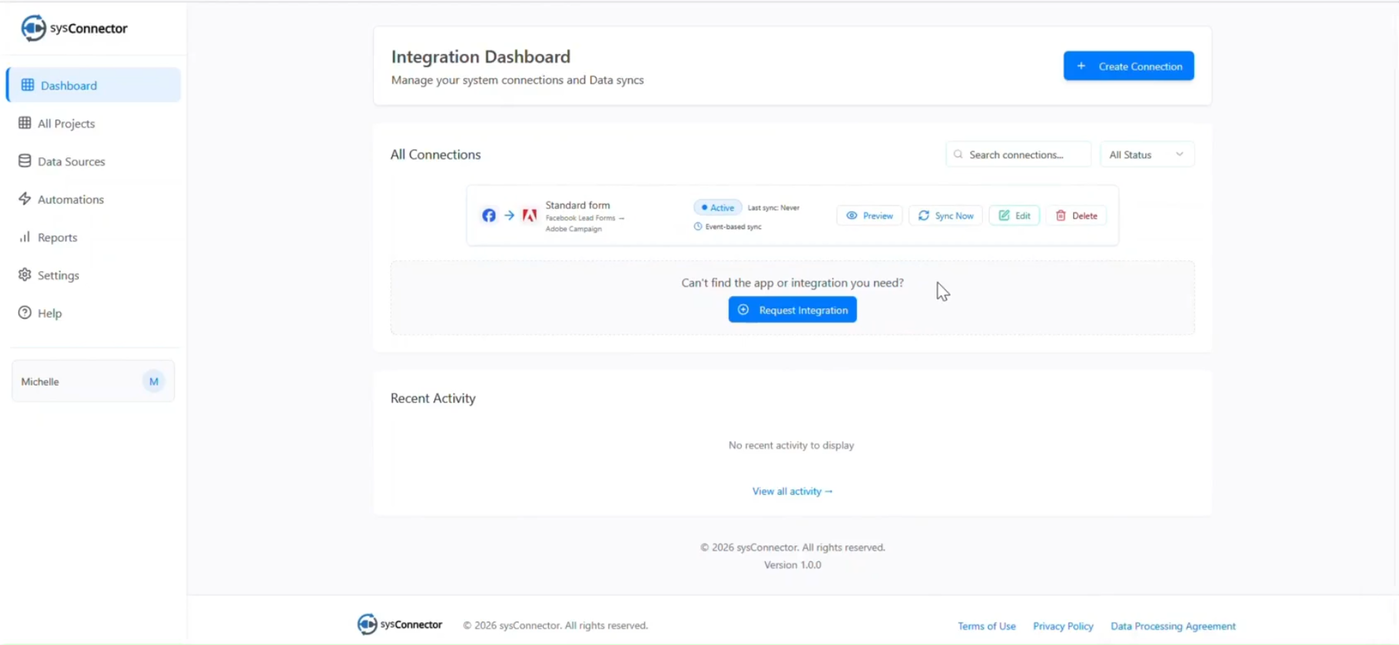
Locate the connection you want to remove.
Click Delete.
If the connection is active, you will be prompted to deactivate it first.
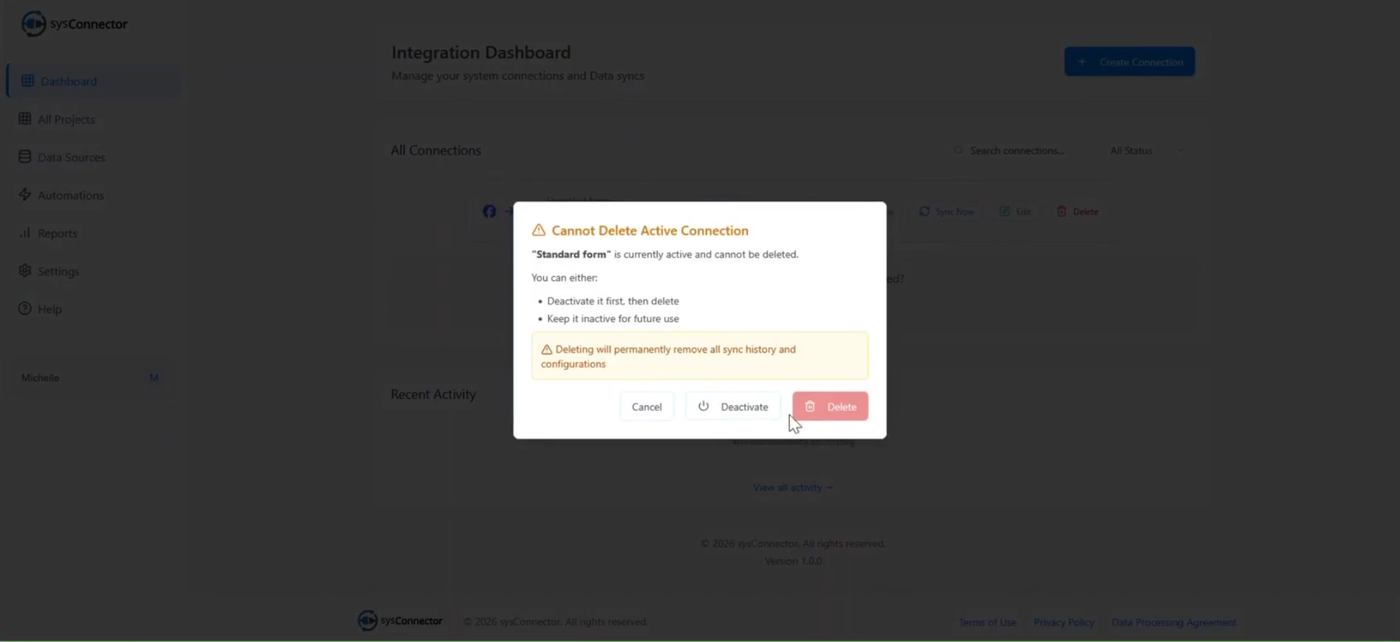
After deactivation, click Delete again to permanently remove the connection.
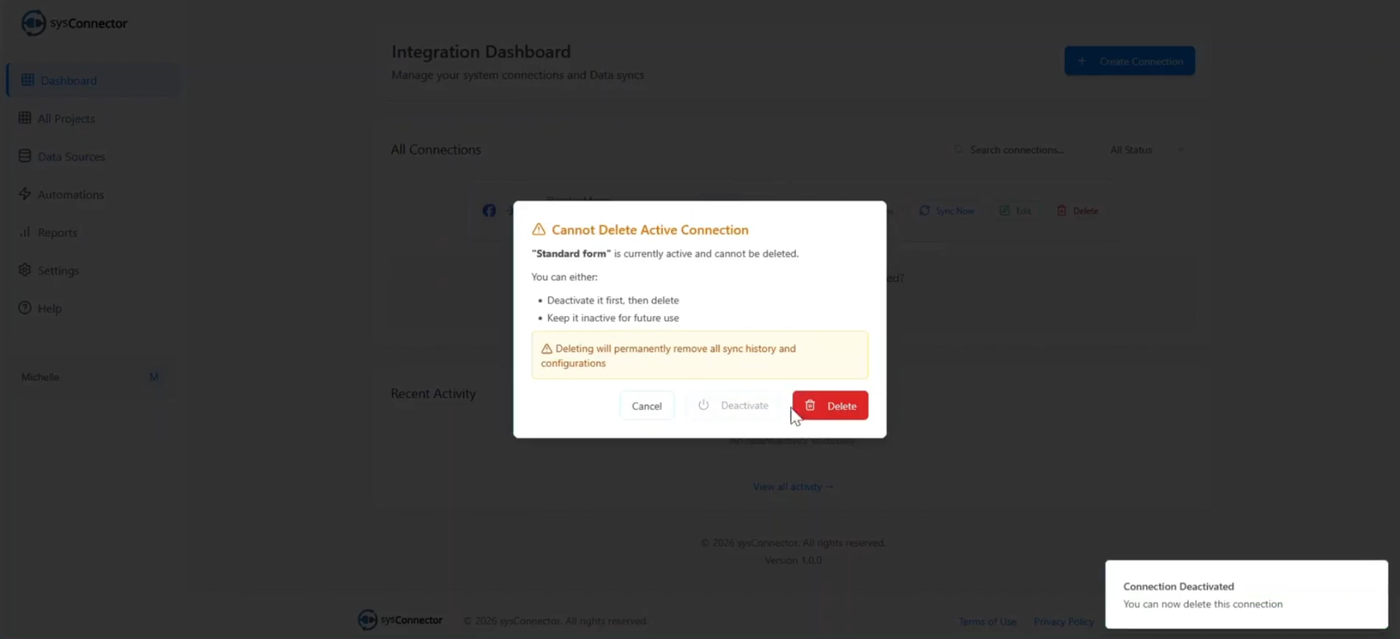
Additional Notes
Editing Instead of Deleting
If you only need to rename a connection or update field mappings, use the Edit option instead of deleting the connection.Verification
After deleting a connection, check the Data Source tab to confirm the connection count has decreased.